



Description
Download YouTube Download and Convert – YouTube to MP3, convert YouTube video to audio, free YouTube converter, online MP3 converter, download YouTube audio
Overview
The YouTube Download and Convert web app is designed to simplify the process of extracting audio from YouTube videos and converting them into MP3 format. Its primary purpose is to allow users to access music and spoken content from YouTube without relying on the platform’s video stream, making it ideal for offline listening. The app solves the common challenge of wanting to save audio content—such as songs, podcasts, or audiobooks—for later use, especially in environments where internet connectivity is limited or data usage is a concern.
Target users include music enthusiasts, podcast listeners, students, and content creators who need quick access to audio clips from YouTube. The app is particularly useful for those who want to build personal music libraries or repurpose audio content for educational or creative projects. As a web-based tool, it requires no installation, no account creation, and no software downloads, making it accessible across devices and platforms.
The developer, YouTube Download and Convert, positions the app as a secure, free, and user-friendly utility within the productivity category. It operates entirely in the browser, emphasizing ease of use and immediate access. By eliminating the need for third-party apps or complex workflows, the tool fits into a growing ecosystem of online utilities that prioritize speed, simplicity, and privacy. Although the developer did not provide additional technical details, the app’s core functionality appears focused on streamlining audio extraction for everyday users.
Key Features & Functionality
- One-Click YouTube to MP3 Conversion – Users can paste any YouTube video URL into the app’s interface and instantly convert the video’s audio to MP3 format without requiring registration or software installation.
- Unlimited Conversion Capacity – The app supports an unlimited number of video conversions, allowing users to process multiple files in succession without restrictions.
- High-Quality Audio Output – The tool is designed to deliver audio in the best available quality from the original YouTube source, preserving clarity and fidelity for music and spoken word content.
- Cloud Integration with Dropbox – Users can directly save converted MP3 files to their Dropbox account, enabling seamless backup and access across devices.
- Zero Account Requirement – No login, sign-up, or personal data collection is needed to use the service, enhancing privacy and reducing friction for first-time users.
For example, a student can convert a lecture video to MP3 to listen to during a commute, while a music lover can extract a favorite song from a live performance video. A podcast enthusiast might use the tool to compile episodes into a personal archive. The lack of account requirements ensures that users can convert content quickly and anonymously, making it ideal for temporary or occasional use. The integration with Dropbox adds value for users who rely on cloud storage for organization and accessibility. While the developer did not specify technical parameters like bitrate or file size limits, the service appears optimized for practical, everyday audio extraction tasks.
Interface, UX & Performance
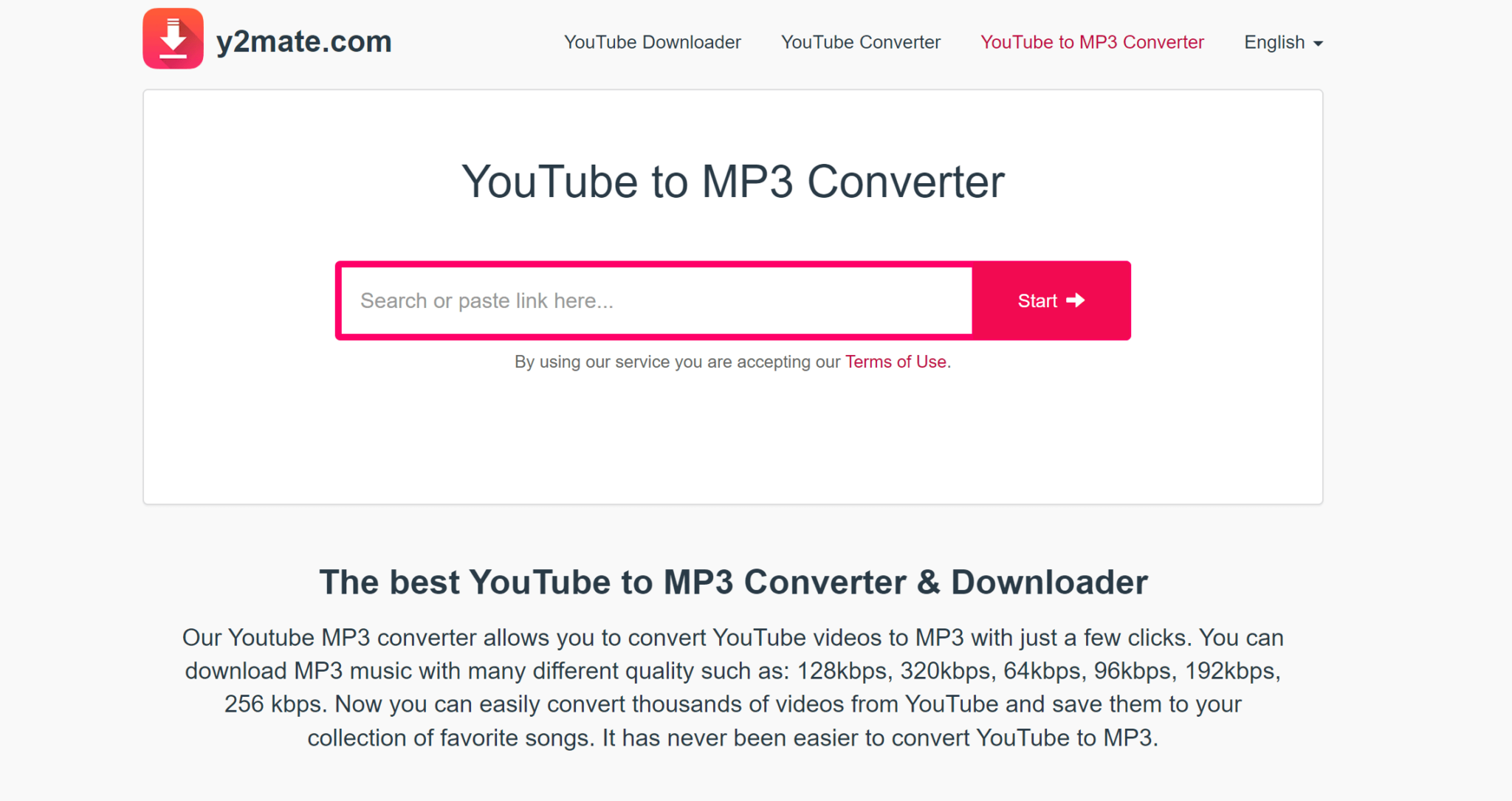
The user interface of YouTube Download and Convert is minimalistic and focused on a single task: URL input and conversion. The layout centers around a clean input field where users paste the YouTube video link, followed by a prominent “Convert” button. The design avoids clutter, prioritizing usability over visual complexity. Navigation is straightforward—users enter the URL, click convert, and wait for the result, with no additional steps required.
Visual style is functional rather than decorative, using neutral colors and clear typography to maintain focus on the core action. The app responds quickly to input, with conversion processing beginning immediately after URL submission. Although the developer did not list formal performance metrics, the tool appears to handle requests efficiently, with minimal loading delays for standard-length videos. The responsiveness across different screen sizes suggests compatibility with various devices, including smartphones, tablets, and desktops.
Stability is implied by the consistent availability of the service, though no specific uptime or error rates were disclosed. The absence of ads or pop-ups contributes to a smooth user experience. Users are not prompted to download files through third-party platforms, reducing the risk of unwanted software. While the developer did not specify minimum OS requirements or device compatibility, the web-based nature of the app ensures broad accessibility. The tool remains stable during repeated use, and file downloads initiate reliably when conversion is complete.
Platform Compatibility & Technical Requirements
YouTube Download and Convert operates as a web application, meaning it runs directly in a browser without the need for installation. It is accessible on any device with internet connectivity and a modern web browser, including Android and iOS smartphones, tablets, and desktop computers. The app does not require a specific operating system version, as it functions through standard web protocols.
The file size is listed as 0 MB, which is consistent with web apps that do not install local components. This indicates that the application does not occupy storage space on the device, making it ideal for users with limited capacity. The version is specified as 1.0, suggesting a stable initial release. The developer did not specify minimum OS requirements or browser compatibility details, so users are advised to use the latest available browser for optimal performance.
Since the tool is hosted online, updates are managed server-side, ensuring users always have access to the latest version without manual intervention. No additional permissions or device access are required, which enhances security and privacy. The platform’s reliance on web standards ensures broad reach and ease of use across different ecosystems.
Pros and Cons
- Completely free to use with no hidden fees
- No registration or account creation required
- Supports unlimited video conversions
- Direct integration with Dropbox for cloud storage
- High-quality MP3 output from YouTube sources
- Simple, fast, and intuitive interface
- Requires an active internet connection for all operations
- Depends on the availability of the YouTube video (content may be removed or restricted)
- File size and bitrate are not customizable or disclosed
- Not available as a native mobile app; limited to web access
- No offline functionality once the service is discontinued
FAQ
Is YouTube Download and Convert safe to use?
The app does not require personal data or account creation, and it operates entirely in the browser. As a web-based tool, it does not install software or request device permissions, reducing the risk of malware. However, users should always ensure they are using the official website to avoid phishing or spoofed versions.
Can I convert videos longer than 10 minutes?
There is no stated limit on video length. The app supports conversion of videos of various durations, including longer content such as full-length concerts or lectures. However, processing time may increase with video length.
Does the app support formats other than MP3?
Based on the provided information, the app specializes in converting YouTube videos to MP3 audio files. No support for other audio formats such as WAV, AAC, or FLAC was mentioned.
How do I save my converted files to Dropbox?
After conversion, users can click the Dropbox button to authorize the app and save the MP3 file directly to their Dropbox account. This feature allows for automatic backup and cross-device access.
Is the service available on mobile devices?
Yes, the web app is accessible on mobile devices through any modern browser. While it is not a native app, it is designed to be responsive and functional on smartphones and tablets.
Final Thoughts
YouTube Download and Convert delivers a streamlined, no-frills solution for extracting high-quality audio from YouTube videos. Its simplicity, lack of registration, and unlimited conversion capacity make it a valuable tool for users who need quick access to music, podcasts, or educational content. The integration with Dropbox adds a layer of convenience for those managing audio files across devices.
While it is not a native mobile app and relies on a stable internet connection, its web-based nature ensures broad compatibility and immediate usability. For individuals seeking a free, secure, and efficient way to convert YouTube content into MP3 format, this tool offers a compelling alternative to more complex or paid solutions.
Download YouTube Download and Convert now
Guides & Tutorials for YouTube Download and Convert
How to install YouTube Download and Convert
- Click the Preview / Download button above.
- Once redirected, accept the terms and click Install.
- Wait for the YouTube Download and Convert download to finish on your device.
How to use YouTube Download and Convert
This software is primarily used for its core features described above. Open the app after installation to explore its capabilities.
User Reviews for YouTube Download and Convert 0
No reviews found


